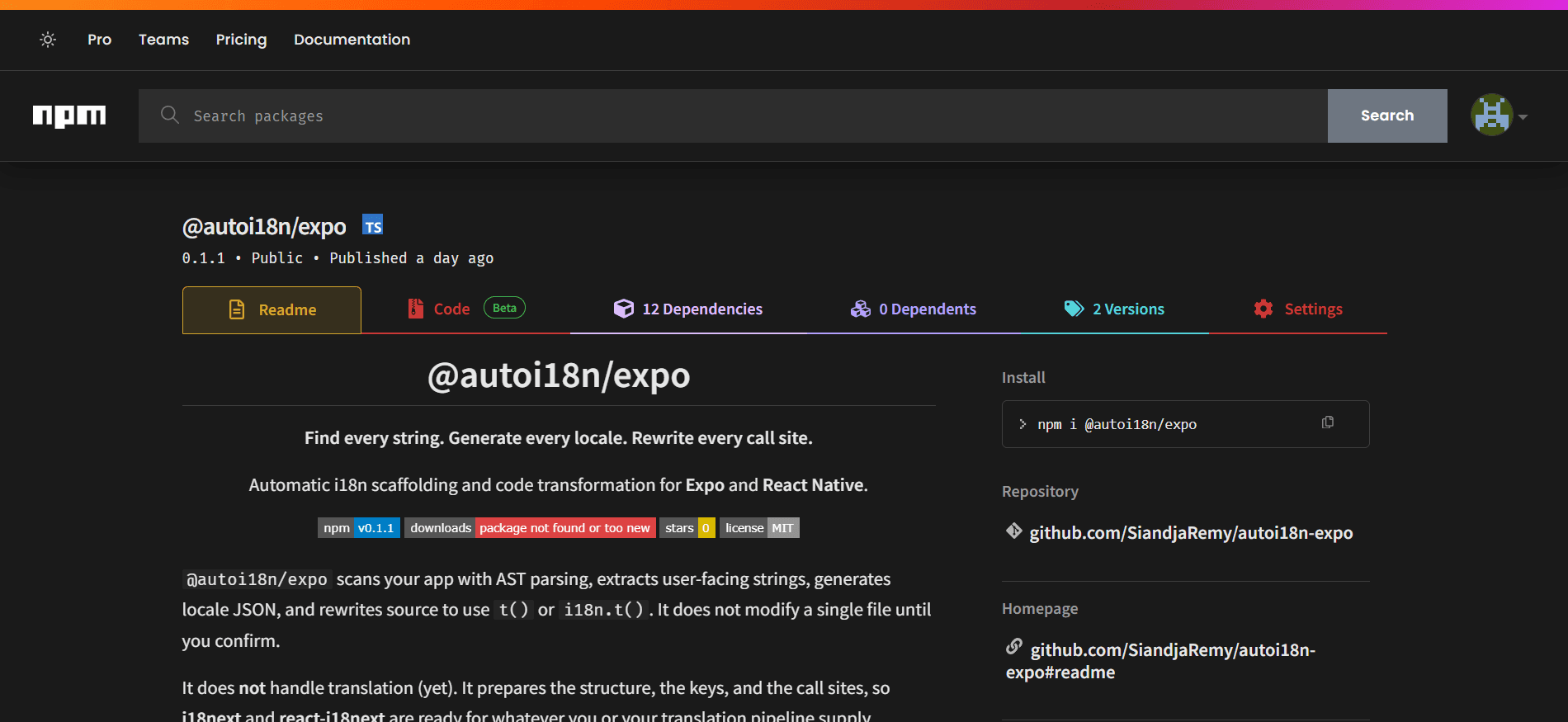
Every Expo project I have worked on eventually hits the same sentence: "we need to support French." Sometimes it arrives before the first screen exists. More often it shows up six months in, when there are two hundred components full of hardcoded English.
Doing it by hand is mechanical work. Find every string, invent a key for it, put it in a JSON file, replace the literal with a t() call, add a useTranslation hook to every component, and check that nothing broke. The tools I found assumed I had written the app i18n-first. None of them would walk into an existing codebase and retrofit it.
So I built @autoi18n/expo. This post is a rewrite of the first version of this article, because the tool changed a lot. I rebuilt it from scratch after the first attempt, and real apps taught me things my toy examples never did.
The original idea
The first idea was three commands: scan the app, replace the strings with t() calls, and translate through an API.

The scan and replace parts stuck. The translation part did not make it into the first release, on purpose. A tool that finds and rewrites strings reliably is useful today. A tool that also machine-translates is a second product, and I did not want to ship both half-finished. The package prepares the structure, the keys, and the call sites, and leaves the actual translating to you, a translator, or whatever pipeline you already use.
Why I started over
The tool went through two names before this one, rn-auto-i18n and then react-auto-i18n. Both were too broad. The code only ever made sense for Expo and React Native, and pretending otherwise meant every decision carried web-framework baggage I did not need.
I tried to rename and re-scope the existing project in place. It did not go cleanly: config names, command names, import strings, and published package names were scattered everywhere, and I kept tripping over leftovers. So I stopped patching and restarted from zero, rebuilding one function at a time.
Before writing a line I locked in the decisions that had caused the most rework the first time:
- the package is
@autoi18n/expo, under an npm org that can later hold other frameworks (@autoi18n/next, a Vite one) - the command is
eai(expo auto i18n) - the config file is
eai.config.ts - Expo and React Native only
- local testing through yalc, so I always test the built output the way a user would get it
Scoping down felt like a loss for about a day and then it felt like relief. One framework means one set of conventions to get right.
Why the scanner is an AST scanner
My first prototype used regex. It lasted about two hours.
Real JSX breaks regex in every direction. A pattern that finds strings between tags also finds the value of a className prop. A pattern that handles template literals chokes on a ternary inside one. Every fix creates a new edge case, because regex has no idea what a string is part of.
An abstract syntax tree does. <Text>Hello</Text> contains a JSXText node whose parent is a JSXElement. <View className="flex-row"> contains a StringLiteral whose parent is a JSXAttribute named className. The same question ("what is this string inside?") gets a different, exact answer, and that is the whole game.
import * as parser from "@babel/parser"; // text to AST
import traverse from "@babel/traverse"; // walk every node
import * as t from "@babel/types"; // type guards
One recursive extractor for everything
JSX children can be a string, a template literal, a ternary, or a logical expression, nested to any depth. My first version handled each case with an if/else chain and missed the strings one level down:
{
  `Active: ${count} ${count === 1 ? "item" : "items"}`;
}
The fix was a single recursive function that takes any expression and decides what to do from its type. It recurses into both branches of a ternary (but never the condition, which is logic, not copy), into both sides of && and ||, and into template interpolations.
function extractFromExpression(expr, results /* ... */) {
  if (t.isStringLiteral(expr)) {
    /* base case: record it */ return;
  }
  if (t.isConditionalExpression(expr)) {
    extractFromExpression(expr.consequent, results /* ... */);
    extractFromExpression(expr.alternate, results /* ... */);
    return;
  }
  if (t.isLogicalExpression(expr)) {
    extractFromExpression(expr.left, results /* ... */);
    extractFromExpression(expr.right, results /* ... */);
    return;
  }
  // template literals, and so on
}
That same function is now reused for Alert.alert arguments, call arguments, object values, and return values. An early bug was Alert.alert(enabled ? 'Disable' : 'Enable', ...) only extracting the plain string argument, because the call handler had its own narrower logic. Routing everything through one extractor fixed that class of bug instead of one instance of it.
Not every JSXExpressionContainer is text
<View className={`flex-row ${isActive ? 'bg-green' : 'bg-red'}`}>That is a JSXExpressionContainer containing a ternary, exactly like the children of a <Text>. The only difference is where it sits. If the parent is a JSXAttribute it is a prop value, and if the parent is a JSXElement it is content. One parent check is the guard that keeps class names out of the locale file.
Whitespace: the bug that looked like a layout problem
The first real app I ran this on rendered some paragraphs with strange line breaks. The locale file contained values like this:
{
  "explore.hook_lets_you_inspect": "hook lets you inspect what the\n              user's current color scheme is"
}
JSX text that spans several source lines carries the indentation in its value. React collapses it at render time, so you never see it. But I was storing the raw value, and React Native rendered the literal newlines as real line breaks.

The fix mirrors what React does: split on newlines, trim every line, drop the empty ones, join with a single space.
export function normalizeJSXWhitespace(value: string): string {
  return value
    .split("\n")
    .map((line) => line.trim())
    .filter((line) => line.length > 0)
    .join(" ");
}
The part that mattered more than the function was where it lives. The scanner uses it to store the key, and the transformer uses it to find that key again. Both import the same definition. When I let them diverge for a moment (the transformer was calling plain .trim()), every multiline string was extracted fine and then silently not replaced. A shared function turned a recurring bug into an impossible one.
Keys that mean something
A flat key like loading is fine for ten strings and unmaintainable for four hundred. Is it the loading state of transactions, the profile screen, or the feed? I namespace every key with the file it came from:
{
  "auth.signin.welcome_back": "Welcome back",
  "auth.signin.sign_in_to_continue": "Sign in to continue",
  "home.total_transactions": "Total Transactions"
}
src/screens/auth/SignIn.tsx becomes auth.signin. Leading src/, app/ and screens/ are dropped to keep keys short, and Expo Router route groups lose their parentheses, so app/(tabs)/index.tsx becomes tabs.index. Sorted alphabetically, the file groups itself by screen.
Long strings would make long keys, so maxKeyLength trims the string part at the last whole word that fits. It never cuts mid-word.
One bug here only showed up in the real world. A string made purely of punctuation or an emoji ("...", an arrow, a bullet) slugs to an empty string, which produced broken keys like components.backbutton.. The key builder now returns nothing for an empty slug and the string is skipped.
Rewriting source without wrecking the diff
Replacing the strings is harder than finding them. Finding a string means understanding its structure. Replacing it means understanding everything around it.
My first transformer printed the modified AST back out with @babel/generator. It worked, and the git diff for a three-string change touched every line of the file, because a generator reprints the whole tree and does not preserve your formatting. A tool that rewrites your source and produces an unreadable diff is a tool nobody trusts.

Recast fixes this. It remembers where every node came from and only reprints the nodes that changed. Everything else comes out character for character, so the diff is the change you would have made by hand.
There is a trap in using it. @babel/traverse crashes on a recast AST with an error about getBlockParent, because recast wraps nodes differently. The correct pairing is recast.parse, then ast-types visit, then recast.print. And ast-types quietly ignores combined visitor keys:
// compiles, never fires
'FunctionDeclaration|ArrowFunctionExpression'(path) { /* ... */ }

// works
visitFunctionDeclaration(path) { /* ... */ }
visitArrowFunctionExpression(path) { /* ... */ }
That one cost me an afternoon, because nothing fails. The imports get added, the hook just never appears.
With ast-types, write one visitor per node type. A combined key compiles and
runs without any error, and is silently ignored.
I also learned to collect during traversal and mutate afterwards. The visitor records which function bodies need const { t } = useTranslation(), and the hook is injected once the walk is over. Injecting mid-walk meant the traversal could visit my own freshly inserted nodes.
The decision I reversed: how to get t into non-component code
Hooks only work inside components. But plenty of user-facing strings live outside them, in helpers and data:
function getStatusLabel(status: string) {
  return status === "active" ? "Active" : "Inactive";
}
My first answer was the textbook pattern: add a t: TFunction parameter to the helper and update every call site. That works when the helper and its callers live in one file. It falls apart the moment the helper is exported, because the call sites are in other files that the tool does not rewrite. And it falls apart for helpers passed around as values:
const actions = [{ label: "Export", action: handleExport }];Turning () => void into (t) => void breaks the type of that config.
So the rule is now based on where the string lives:
- inside a component, use
t('key'), plus the hook and its import - at module level, or in an exported helper, use
i18n.t('key'), plus an import of your app's i18n instance (the relative path is computed fromi18nFilePath) - a non-exported helper that is only ever called inside its own file may still get a
t: TFunctionparameter, and its same-file call sites get the extra argument - a helper referenced as a value always gets
i18n.t, and its signature never changes
I would rather have a rule that never breaks your types than a clever one that does.
i18n.t outside a component runs when the module loads. If the user changes
language later, those values do not update unless the data is built lazily
inside a function or component. Prefer component-level t for text that must
react to language changes. This is documented as a limitation, not hidden.
Safety nets
The tool never touches a file until you confirm. eai replace re-scans, transforms in memory, shows a preview, asks for confirmation, writes a sidecar backup next to every file it modifies (Component.tsx.i18nbak), and only then writes. An existing backup is never overwritten, so running replace twice cannot destroy your original. eai revert restores everything, and eai revert --clean deletes the backups once you are happy.

Re-running is where tools usually fail, so I designed for it. The first eai scan always overwrote the locale file, which meant adding one string and rescanning would wipe translations already in the file. Scan now merges by default: new keys are added, existing keys keep their values, and --fresh is the explicit opt-in to rebuild. --fresh refuses to combine with --only, because a partial scan would drop every key outside the scanned paths. And when the rescan finds nothing new, it says so instead of asking you to confirm a no-op write.
Keeping other languages in step
Three commands handle the other locales:
eai locales-generatecreates target files as copies of the default language, merging into existing ones and never destroying translations you already made. That copy is exactly what you hand to a translator or paste into an LLM.eai locales-syncaligns targets with the default after you add code: it adds the missing keys, removes the ones that no longer exist, and marks new values with a prefix ([UNTRANSLATED]by default) so a plain text search shows what is still pending.eai locales-deleteremoves a language and cleansi18n.ts.
{
  "home.welcome_back": "Bienvenue",
  "home.new_feature": "[UNTRANSLATED] New feature added"
}
Editing i18n.ts without owning it
My first version regenerated i18n.ts from a template whenever a locale was added. That is fine until you add a languageChanged handler, expo-localization detection, or a plugin, and the next command quietly deletes it. Now adding or deleting a locale injects or removes only the import and the entry in resources. Everything else in the file is yours. The file is regenerated in full only when it does not exist.
What a real app broke
Toy examples pass. My own app, Insist (an offline-first reminders app), did not, and every failure taught me something. I scanned, replaced, rescanned, and read what was left over, again and again.

Strings inside prop objects
Expo Router screens look like this:
<Tabs.Screen name="index" options={{ title: "Tasks" }} />The title is a translatable prop, but it sits inside an object inside a JSXExpressionContainer, so my attribute visitor never saw it. The scanner now walks object props on JSX attributes and checks each key against the translatable list. The transformer had to learn the same shape, and inside a plain object the replacement is a bare t() call, not a wrapped {t()}.
Data that lives in objects, not JSX
export const TASK_FILTERS = [
  { value: "all", label: "All" },
  { value: "active", label: "Active" },
];
No JSX, but label is shown to the user and value is not. This is where I stopped being able to solve things purely with heuristics. Objects are everywhere in code and most of their string properties are not copy: ids, icon names, colors, routes. Extracting all of them would bury the real strings in noise. So object extraction is opt-in and key-based:
detectObjectLiterals: true,
objectLiteralIncludeKeys: ['title', 'label', 'description', 'details'],
With an allowlist, label is extracted and id, value, and icon are not. Nested objects, arrays of strings, ternaries, and TypeScript wrappers like as const and satisfies are followed. It is a config option because the right answer genuinely differs per project: your label might be UI copy, and someone else's might be a database column.
Identifiers that look like words
onPress={() => setSelectedInfoId("tasksLimit")}tasksLimit is a perfectly extractable-looking token with no spaces, and it was ending up in the locale file. The fix is a pair of defaults, skipCamelCase and skipSnakeCase, that drop single tokens that look like identifiers. They only apply when the whole string is one token, so "Tasks Limit" still counts.
Class names that were not quite class names
My Tailwind heuristic says that if most of a string's tokens look like utility classes, the string is a class list. It missed dark:text-text-light-secondary, because the dark: variant prefix did not match, so a two-token string scored fifty percent and fell through. Allowing an optional variant prefix (dark:, hover:, md:) and lowering the threshold slightly fixed it.
Things that are never copy
A rescan kept finding "16px", "999px", "0%", "#FF3B30", "@style/Theme.AppCompat.NoActionBar", "nativewind/babel", "true", and a pile of style values like "absolute" and "center". Most were obvious in hindsight and now skipped by rule:
// numbers with units
if (/^\d+(\.\d+)?(px|em|rem|%|vh|vw|pt|dp|sp)$/.test(trimmed)) return false;
// hex colors
if (/^#[0-9a-fA-F]{3,8}$/.test(trimmed)) return false;
// resource references and package paths
if (/^@[a-zA-Z]/.test(trimmed)) return false;
Style objects get their own guard. If more than half an object's keys are React Native style properties (position, justifyContent, overflow), the object is a style and none of its values are extracted. And files that can never contain UI copy, like tailwind.config.js, babel.config.js, and metro.config.js, are excluded by default.
The rule I settled on
When something shows up that should not, there are two possible fixes: make the heuristic smarter, or add a config option. I fix the heuristic when the rule is clear, because a smarter default means the tool just works. I add a config option only when the right answer legitimately differs between projects, like objectLiteralIncludeKeys or additionalTranslatablePropNames. Every option I added had to pass that test.
Scan and replace have to agree
The most important lesson came out of the rescan loop. Scan and replace use two separate sets of visitors. If scan learns a new pattern and replace does not, the string lands in the locale file and never gets rewritten. That is worse than not detecting it, because the locale now has keys nothing uses.

Every time I extended the scanner I had to extend the transformer to match, and I now test them as a pair. When a scan finds strings but replace applies zero transformations, the CLI says so out loud, because that is a mismatch to investigate and not a quiet success. Rescanning after replace will still list some literals. Most are known limitations, and the rest are config gaps you can close.
Shipping a CLI is a dependency problem
None of this was on my radar when I started, and it ate days.
My ^ version ranges quietly resolved to brand-new majors. Babel 8 wanted a very recent Node and printed engine warnings on install. Newer major versions of glob and ignore changed how they behave. In one run, scanProject failed with files.filter is not a function, because the glob call returned something other than the array my code was built against.
The pattern: a CLI runs inside someone else's project, with someone else's node_modules. Expo's tooling brings its own old copies of common packages, including a commander too old to have .hook(). Anything I left external could resolve to a different version at runtime than the one I tested.
My fixes were boring and effective:
- pin exact versions of what I depend on, since for a CLI everyone should get identical behavior
- bundle the packages most likely to collide with the host app, and leave large, stable ones external
- replace
globwithfast-glob, which always returns a plain array
// tsup.config.ts
noExternal: ['fast-glob', 'chalk', 'commander'],
I also triaged npm audit instead of reacting to it. Most flagged packages were transitive and only reachable through code paths a local CLI never touches (a dev server I never run, a CLI flag I never call). I fixed the ones I could cheaply and wrote down why I ignored the rest.
Test the built output the way a user gets it. I use yalc to install the package into a real Expo app, so a bundling or resolution bug shows up on my machine before it shows up on theirs.
Typed config without the noise
The config file is the one place users have to read, so it should be short. It is a plain object wrapped in a helper that returns its argument unchanged:
import { defineEaiConfig } from "@autoi18n/expo";

export default defineEaiConfig({
  defaultLanguage: "en",
  targetLanguages: ["fr", "es"],
  localesDir: "src/locales",
  detectObjectLiterals: true,
  objectLiteralIncludeKeys: ["label", "title", "details"],
  customDetectCalls: [
    { callee: "Toast.show", args: "object", keys: ["text1", "text2"] },
  ],
});
The function does nothing at runtime. Its only job is to give TypeScript the full config type, so hovering an option in your editor shows its documentation and Ctrl+Space lists every option. All the docs live in JSDoc on the type, and the generated file has no comment noise. eai init also looks at the project (is there a src/, is it Expo) so the defaults for localesDir and i18nFilePath fit your structure.

What it does not do
I would rather list the limits than have you find them. A few of the main ones:
- plural logic and nested ternaries inside a template, such as
You have ${n} task${n > 1 ? "s" : ""}, are not extracted as one key. Use i18next plurals by hand - strings that only exist in an intermediate variable before reaching a toast or alert are not recognized as UI copy
- server messages, computed keys, and runtime-only strings cannot be found by static analysis. Nothing can
- module-level strings are translated once, at import time
- right-to-left layout mirroring is not handled. RTL languages work as content
The README has the complete list, each with a workaround.
What I learned
Parse, do not pattern-match. The up-front cost of learning the AST is paid back the first time className shows up in your output.
Print-preserving output is a feature, not a nicety. If a tool touches your files, the diff is its user interface.
Share the functions that two halves of a tool must agree on. Whitespace normalization was the clearest case, but the scan-and-replace gap was the same lesson at a larger scale.
Design for the second run. Merge by default, never overwrite a backup, edit i18n.ts surgically. First-run behavior is easy to get right. What matters is what happens when someone runs the command again three weeks later.
Prefer a rule that never breaks your users' types over a clever one that does. Reversing the t parameter decision cost me a rewrite and saved a whole category of bug reports.
And test on a real app early. Everything in the Insist section above came from running the tool on code I had written for another purpose.
What is next
The roadmap is public in the README: automatic plural handling, optional more aggressive extraction strategies, a command that prunes unused keys without the full --fresh rebuild, grouping backups into a single directory, and machine translation behind an API key. Other frameworks will follow as their own packages under the same npm org, starting with Next.js.
The package is on npm as @autoi18n/expo and the code is on GitHub. If it misses a string in your app, a minimal snippet plus your eai.config.ts in an issue is the fastest way to get it fixed.